Newsletters and disaster information, on every TV, with just the remote. Local information TV apps for municipalities in Japan
Town information on the familiar TV, for older households that smartphones and messaging apps do not reach. We turn the newsletter, hazard maps, waste collection days and holiday clinics into apps used with only the D-pad and OK button.
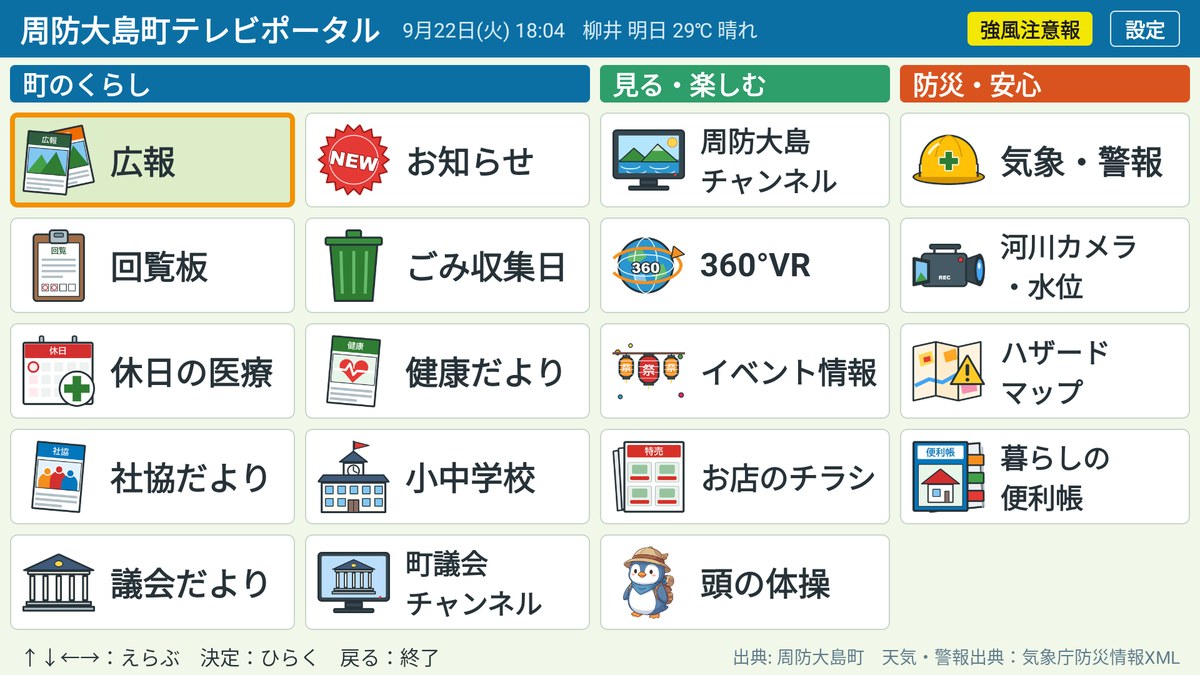
When information does not arrive, the TV can deliver it
Paper newsletters, the official website, messaging accounts. However many channels you add, some households are still missed. The TV is in almost every home and older residents use it every day, so we make it the window for information.
ISSUE
Fewer people are available to deliver the printed newsletter
ON THE TV
The app fetches the published newsletter PDF automatically and shows it in a form that can be read on the TV. Pages can be enlarged and back issues browsed. It runs alongside paper distribution.
ISSUE
Households that do not use smartphones are not reached
ON THE TV
Only the D-pad and OK button are used. Text is sized to be read from a sofa two to three meters away, so it reaches people who do not own a smartphone.
ISSUE
In heavy rain, people cannot find what they need
ON THE TV
River cameras, water levels and rainfall, plus hazard maps for landslides, floods, tsunami and storm surge, can be checked just by turning on the TV. All built on free data from public agencies.
10 local information apps for the TV
Adopt only the ones you need. They all work the same way, so residents are never lost. Screens are from apps in service in Japan.
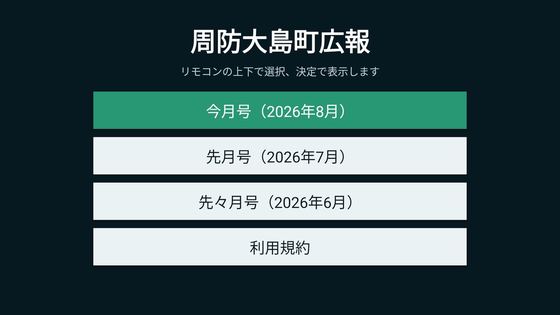
Newsletter Viewer
Fetches the newsletter from the official site. Supports zoom
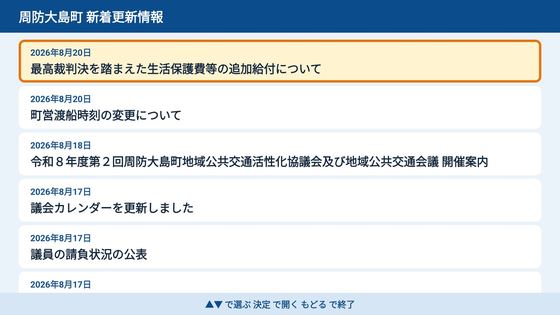
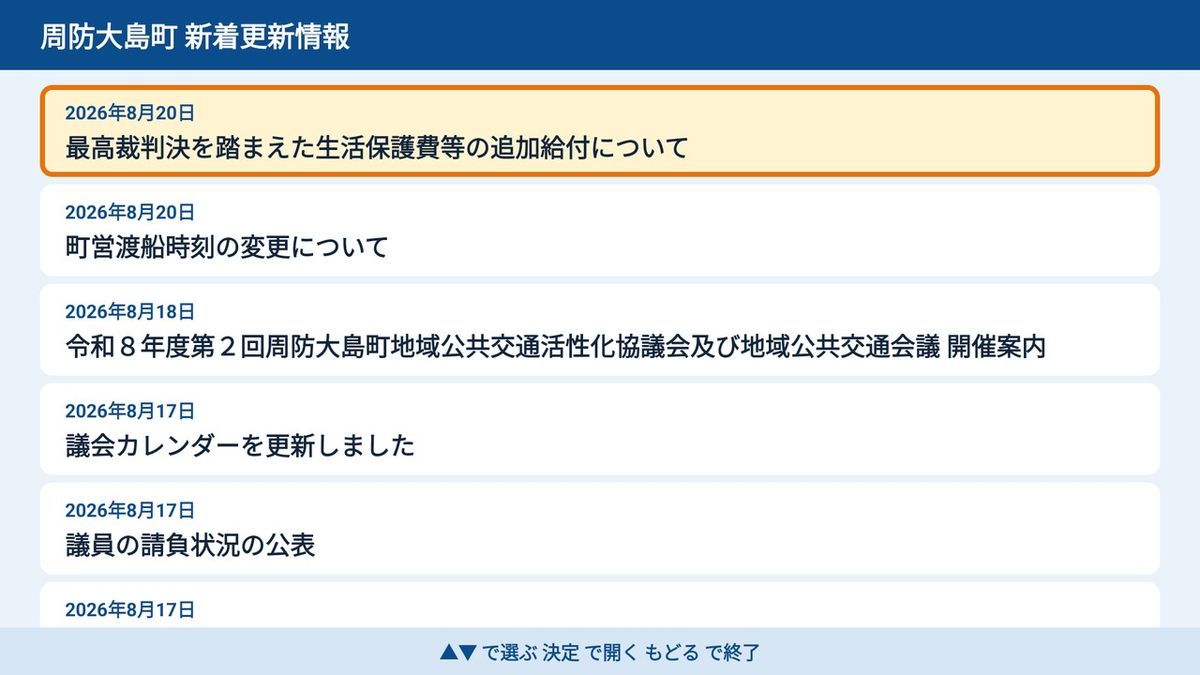
Latest Notices
Lists updates on the municipal website by date
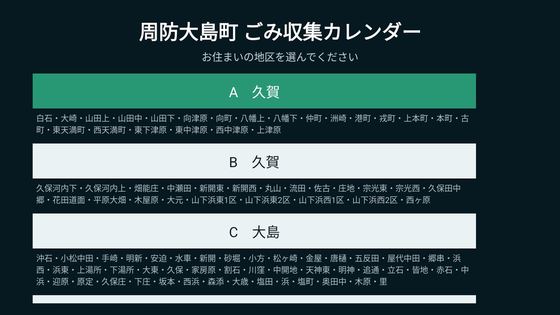
Waste Collection Calendar
Pick a district to see collection days and sorting rules
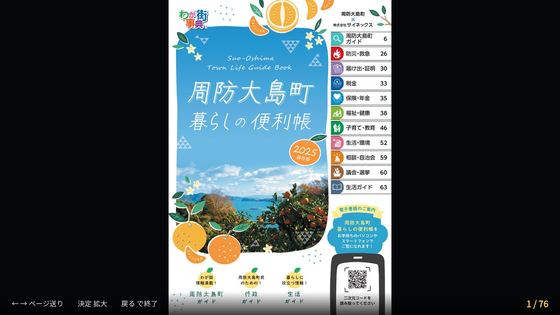
Residents’ Guidebook
Procedures, childcare and health, from the contents page
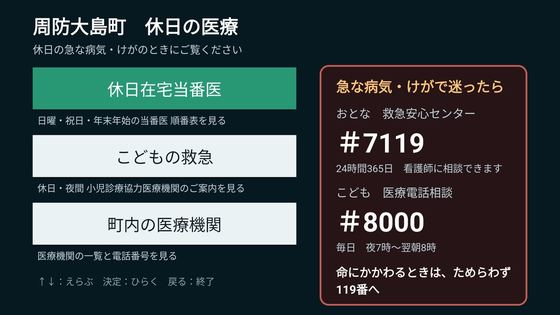
Holiday Medical Care
Clinics on duty, children’s emergencies and advice lines
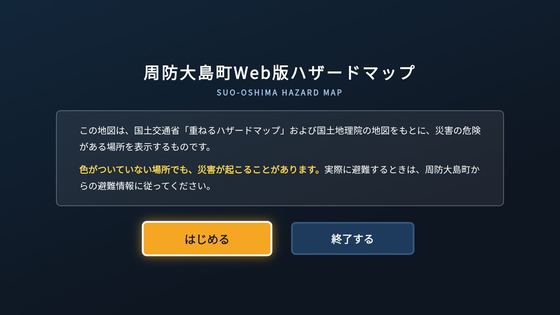
Hazard Maps
Five types: landslide, flood, tsunami and storm surge
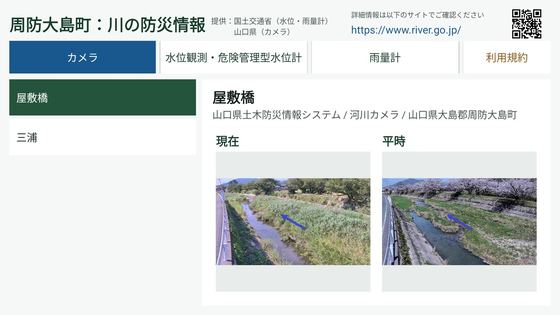
River Information
River cameras, water gauges and rain gauges, adapted for TV
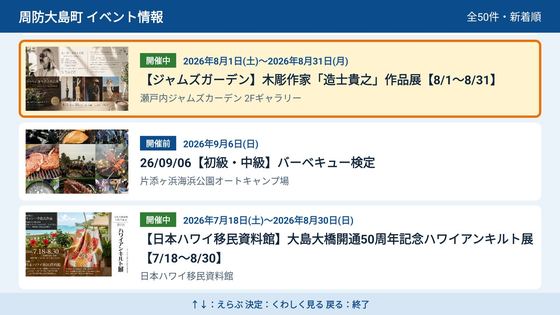
Events
Events from several sources gathered on one screen
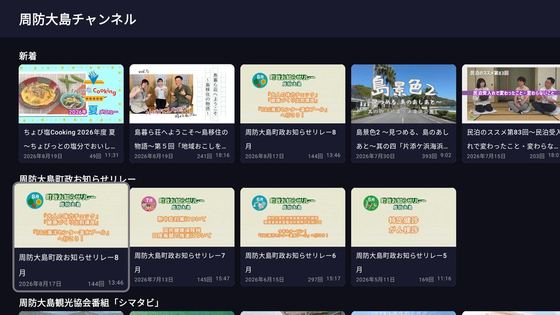
Official YouTube
Assembly sessions and town videos, chosen with the remote
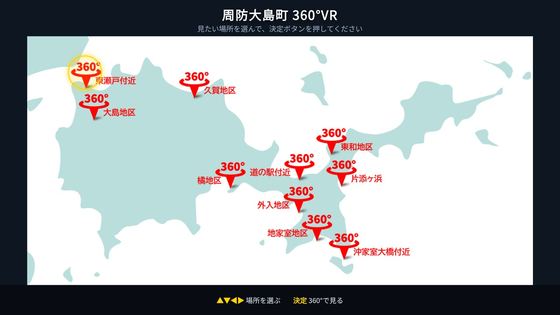
360° Viewer
Local sights in 360 degrees, for tourism and relocation PR
We do not add to your staff’s workload
There is no new admin screen to fill in and no TV-specific copy to write. Keep updating your official website as you do now, and the latest information appears on the TV as well.
- Fetched automatically from the PDFs, pages and YouTube videos on your official site
- When the source site changes, we follow up and adapt
- Maps and disaster data use free sources from national agencies, so there are no usage-based API fees
- Display and operation are verified on the device that actually reaches residents’ homes
Help for people who struggle with smartphones, from the TV
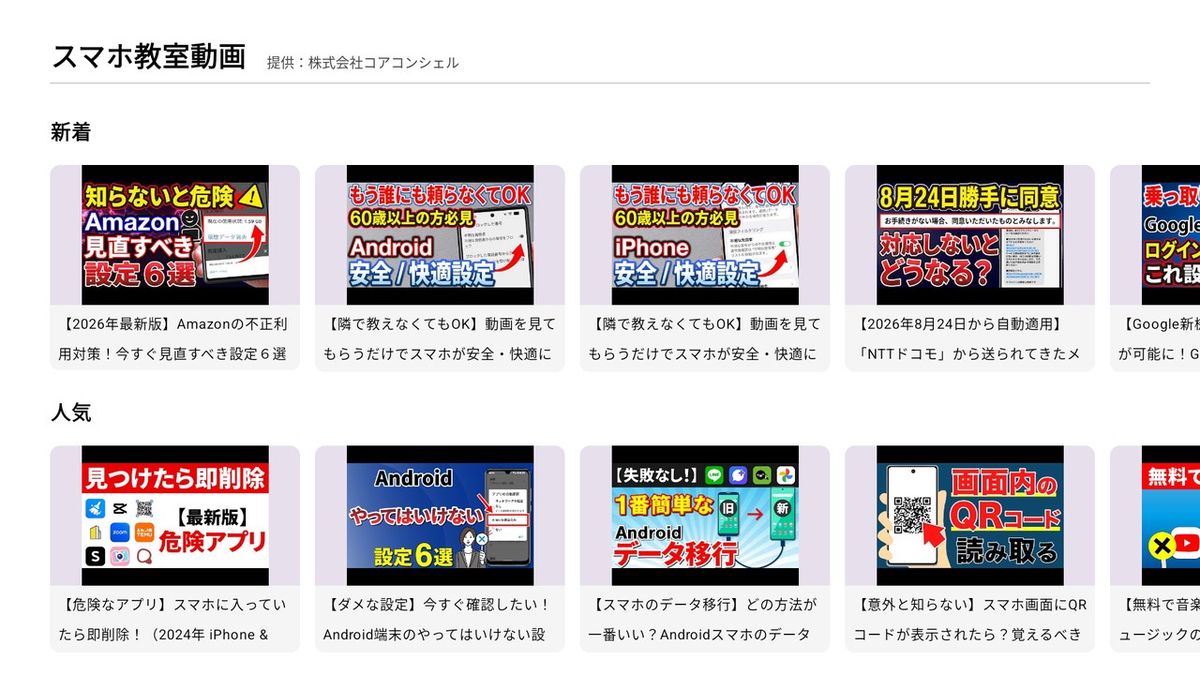
Smartphone how-to videos from a YouTube channel with 500,000 subscribers can be watched on the TV. Topics a municipality wants to promote, such as registering for the official LINE account or My Number Card procedures, are explained slowly and carefully.
- People who cannot attend a class can learn at home at their own pace
- Can also be broadcast on the cable community channel
- Can be used as teaching material in municipal smartphone classes
Case: Suo-Oshima Town, Yamaguchi Prefecture
Selected for Yamaguchi Prefecture’s Civic Tech Challenge YAMAGUCHI, fiscal 2026
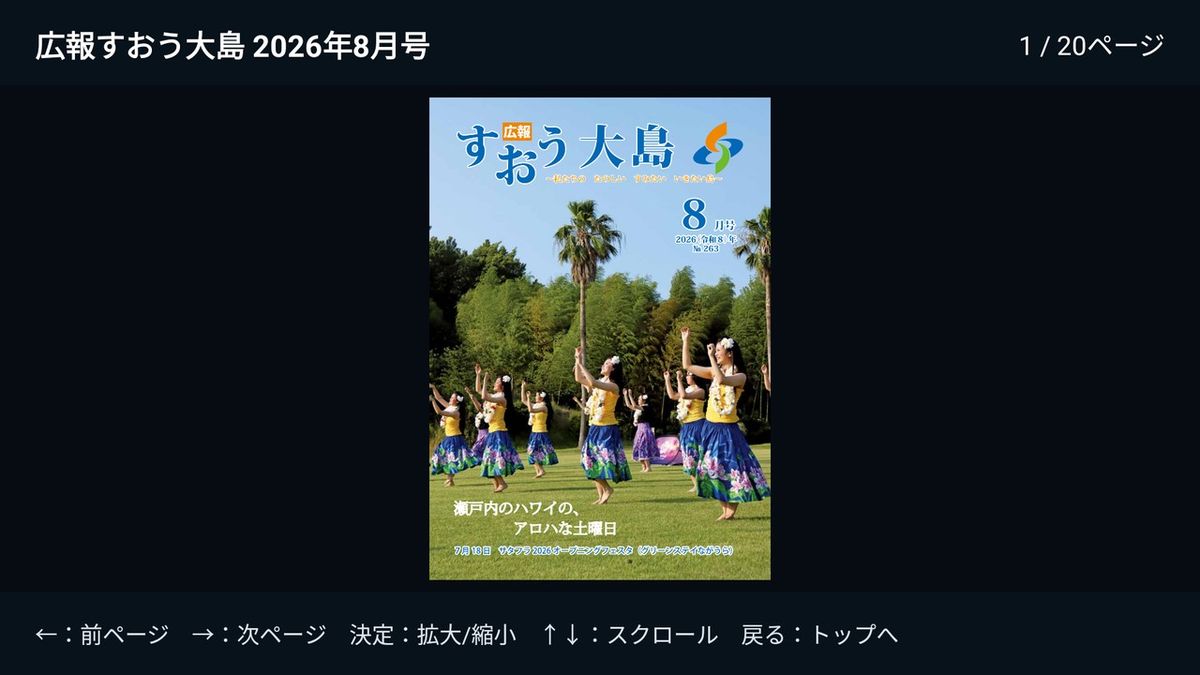
Answering “how do we keep the newsletter reaching people?” with the TV
In Suo-Oshima Town, where more than 55% of residents are 65 or older, the printed newsletter goes to about 7,400 households through the leaders of 270 neighborhood associations and 1,249 groups. The town’s LINE account has about 4,100 registered users. The aging of the people who deliver the newsletter, and the households that smartphones do not reach, were the challenges.
The proposal by i-CAN Inc. (Iwakuni, Yamaguchi Prefecture) to deliver information to the TV was one of 8 companies selected from 72 proposals by 63 applicants. We develop and supply the system, which brings 16 kinds of town information, including the newsletter, disaster information and waste collection days, onto the TV home screen.
- Linked automatically to information the town already publishes, with no new workload for staff
- Operated in parallel with the printed newsletter
- A trial in selected neighborhood associations during fiscal 2026 will examine ease of use and how well information reaches residents
Figures and details are from the press release of October 6, 2026 (PR TIMES, in Japanese). Trial lead: i-CAN Inc. / System development and supply: GlobalMediaLab Inc. / Cable IP stick: AJCC Corporation
From first contact to launch
We work together with your local cable TV operator.
Consultation
We ask what information you want to deliver and about your residents. We can demonstrate the actual screens.
Proposal
We choose the apps you need from the ten and set out which information on your website will be shown.
Development and device checks
We configure the apps for your town’s information and verify display and operation on the device residents will use.
Launch and operation
You can start with a trial in some districts. We keep supporting updates and changes after launch.
Frequently asked questions
Does this add work for our staff?
Do we have to stop the printed newsletter?
What do residents need?
How is this different from a smartphone app or a messaging account?
What information can be shown?
Do we need to coordinate with a cable TV operator?
Start by asking, “Could our newsletter go on the TV?”
Send us the address of your official website and we will look into which information can be shown on the TV.
We also take requests for materials and demos. We reply in English or Japanese.