TV App Development
Android TV / Fire TV / cable IP sticks
Local information and a little enjoyment, delivered to households where nobody owns a smartphone.
We plan, build and operate television applications that run on nothing but the directional pad
and the OK button of a remote control.
A screen built for a phone does not become usable simply because it is shown on a TV.
We design for the input device, the viewing distance, and the people who will actually be holding the remote.
Everything on the remote
The directional pad and the OK button complete every task. Focus order, long-press thresholds and the behaviour of the Back key are all worked out against a real remote control.
Readable from the sofa
Type sizes and contrast are set so that a screen can be read from two or three metres away. We keep the number of choices per screen low, so nobody has to work out where to go next.
Tested on the real hardware
We verify rendering performance and input response on the set-top boxes that actually reach subscribers’ homes, not on a developer machine. Problems that never surface on fast hardware get caught before release.
Low cost to keep running
Content is pulled automatically from the publisher’s own website, so there is no upload work to do. Maps and disaster information use free public data, so there are no metered API bills.
The lineup
Local and municipal information, everyday utilities, and games made for the television.
All of them are driven by the remote, and all of them launch from the home screen of a cable IP stick.
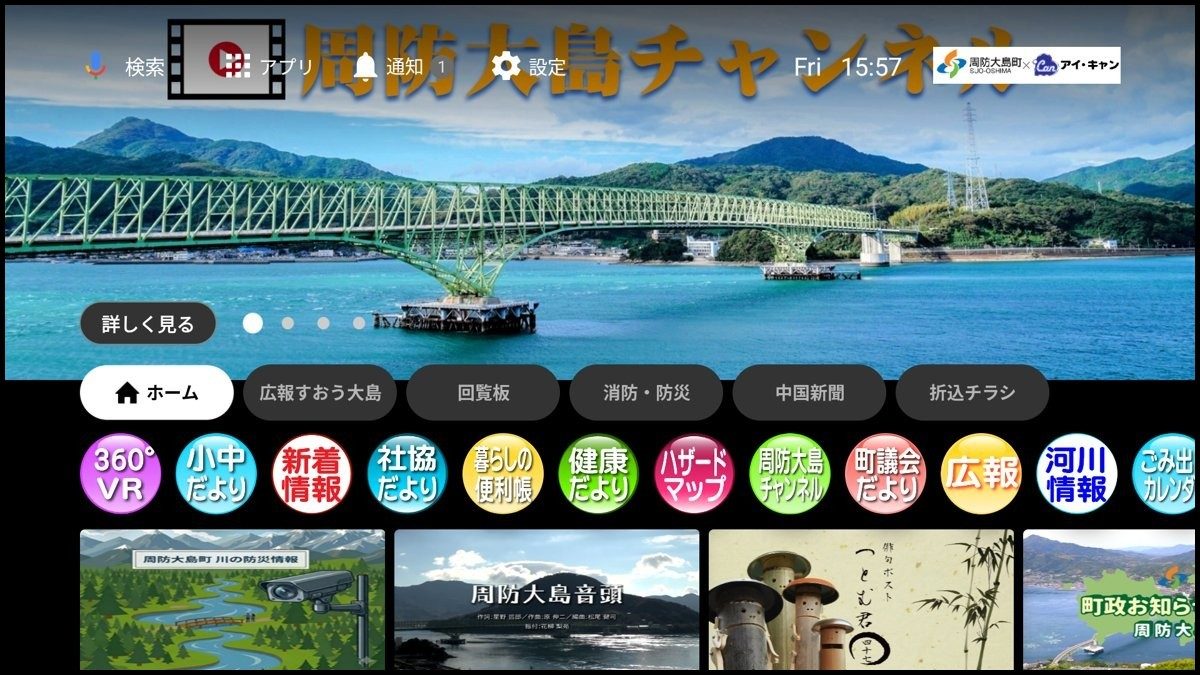
The home screen in service in Suo-Oshima, Yamaguchi Prefecture, operated by the cable company I-CAN. Screens on this page are shown in Japanese, as they appear to subscribers.
1. Local & municipal information
10 appsA town’s information, all of it, inside the television — on a screen large enough to read without effort.
Municipal Newsletter ViewerFetches the newsletter archive from the town’s official site and renders the PDFs for the television. Nothing has to be uploaded or swapped by hand, and any page can be magnified.
River Flood MonitorJapan’s national river disaster-information feed, rebuilt for the TV. River cameras, water-level gauges and rain gauges in three sections — available by doing nothing more than turning the set on during heavy rain.
Hazard MapFive hazard types: landslide, flood at planned scale, flood at maximum assumed scale, tsunami and storm surge. Built entirely from free national map tiles and open hazard data.
Waste Collection CalendarChoose a district and that district’s collection calendar fills the screen. Sorting categories and disaster-waste instructions are shown magnified, exactly as printed in the town’s booklet.
Holiday Medical CareThree menus: on-call clinics, children’s emergency care, and local medical institutions. Japan’s #7119 emergency advice line and #8000 children’s medical helpline stay pinned to the top of the screen.
Also in this category: Official YouTube Channel, Municipal Updates, Living Guide, 360° VR Viewer, and Local Events.
2. Everyday utilities
4 appsConveniences that used to require a smartphone or tablet, on the television instead.
Newspaper Page ViewerFull newspaper pages on the big screen, with page turns and article zoom on the remote alone. Used as a delivery route in island and mountain communities where physical delivery is difficult.
Digital Store FlyersElectronic flyers from nearby supermarkets, shown on the TV so the week’s deals can be checked before going out. Coverage area and individual stores are configured per operator.
Smartphone How-To VideosUnhurried video walkthroughs of how to use a smartphone, made for older adults. Useful for narrowing the digital divide around municipal services such as messaging apps and ID registration.
Map AppPan and zoom a nationwide map with the directional pad, and save a home location as a reference point. Straightforward on a large screen for people who find phone maps hard to handle.
3. Games made for the TV
43 titlesEvery one of them plays with the directional pad and the OK button. No advertising and no in-app purchases.
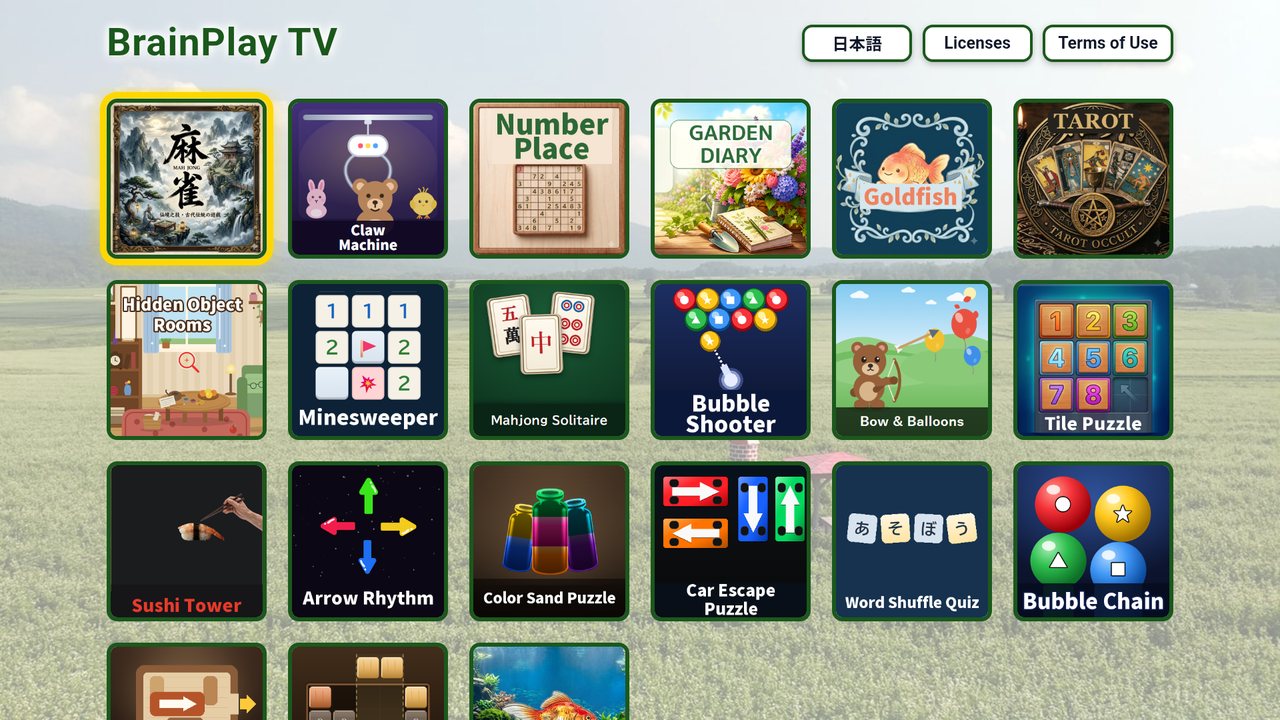
A few of the titles — 23 built in house, 20 supplied by partner studios
The full catalogue of 43 titles spans mahjong, card and board games, number and sliding puzzles,
fishing, archery and other simple action games. A per-operator selection can be assembled from it,
with the launcher’s logo, colours and title list changed to match the operator’s own branding.
Case studies
Three examples of what our apps are asked to solve, and what changed afterwards.
CASE 01
A town’s information, moved onto the television as ten apps
The problem
Newsletters, disaster information, waste collection and medical listings were split between printed matter and the municipal website, and were not reaching households without a smartphone.
What we did
As a joint proposal by the municipality and the cable operator, we built ten local information apps in a single project, all opening from the set-top box home screen and all behaving the same way.
The result
Because every app pulls its content from the official website, the latest information appears without any additional work by the town office.
Games delivered under the cable operator’s own brand
The problem
Set-top boxes were being distributed, but subscribers had no particular reason to switch them on each day, and usage was not growing.
What we did
We built a launcher collecting more than twenty games made for the television, with the logo, colour scheme and title list all replaceable per operator. The web-linked system “ShuGo!” is available alongside it.
The result
With no advertising and no in-app purchases anywhere in the collection, operators can recommend it to older subscribers without reservation.
Game launcherOperator brandingShuGo!
CASE 03
Newspapers and daily information where paper is hard to deliver
The problem
On islands and in mountain districts, newspaper delivery is difficult and inserted flyers never arrive at all. The information gap was widening.
What we did
We built a newspaper page viewer and a digital flyer viewer. Both turn pages and magnify articles from the remote alone, at a size readable by people whose eyesight is no longer sharp.
The result
Households that do not use a smartphone now receive the daily paper and the week’s deals at nearby stores.
The television games we have refined for cable operators in Japan, rebuilt as our own product for
English-speaking markets. Published on both Google Play and the Amazon Appstore.
A “Today’s Challenge” of three puzzles each morning, sized to finish in about five minutes
No advertising and no account to create. The directional pad and the OK button are all it needs
Runs on Fire OS 5 and later (Fire TV Stick 2nd generation and later, 4K, 4K Max, Cube) and on Google TV / Android TV
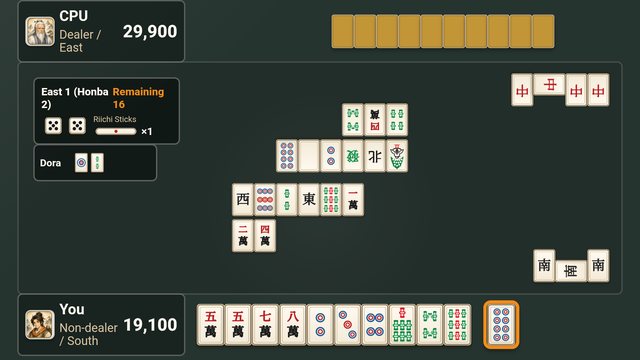
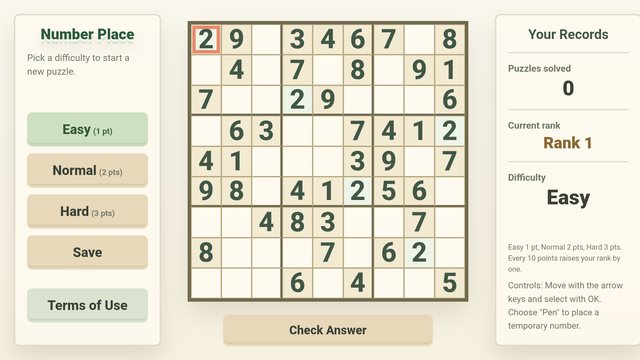
Includes mahjong, mahjong solitaire, number place, minesweeper, color sand and car escape puzzles
The Fire TV edition is free. On Google TV / Android TV, three rotating titles are free each month,
and a subscription of US$4.99 per month (three months free) unlocks all of them.
How a project runs
We take on both customisations of an existing app and entirely new work, from the first idea onward.
Listening
We ask what you need to deliver, which devices are in the field, and what the viewing households are like — then tell you what is achievable and roughly what it costs.
Screen design
We propose the screen flow and visual design on the assumption of remote-control input. Where an existing app can serve as the base, this stage is short.
Build and device testing
We check rendering performance and input response on the hardware that will actually be distributed. Test units can be lent to you so that your own team can confirm the result.
Release and operation
We integrate the app into your distribution environment and stay with it afterwards, handling updates and following changes in the upstream data sources.
Press releases
Announcements about our television services are distributed through PR TIMES. The linked articles are in Japanese.
Cable operators, local governments, and anyone with content to deliver.
Whether you want an existing app customised or something built from scratch, we would like to hear about it.